桌面创建 firefox 不同帐号登录快捷方式
1. 创建名为 kevinzhcr 的配置文件
打开Firefox 输入 about:profiles
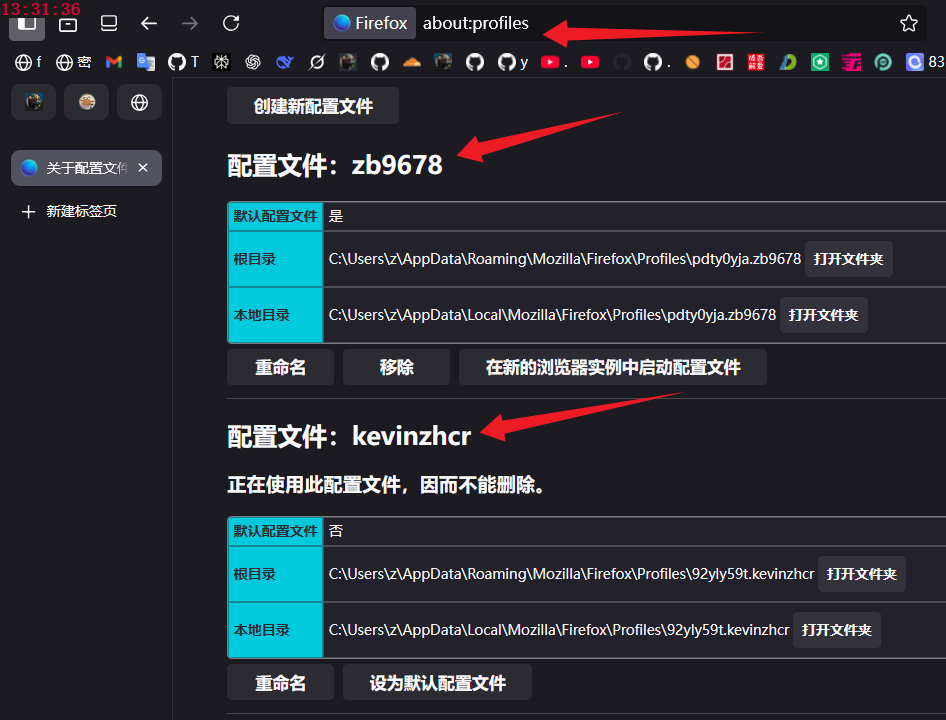
点击 创建新配置文件 / 下一步 / 请输入新的配置文件名称(E):/ kevinzhcr / 完成
配置文件: kevinzhcr
。。。。。。。。。。
配置文件:zb9678
。。。。。。。。。。
2. 在桌面创建快捷方式
右键/新建快捷方式 / 请键入对象的位置(D) / 输入
"C:\3\firefox\firefox.exe" -no-remote -P "kevinzhcr"
或
"C:\3\firefox\firefox.exe" -no-remote -P "zb9678"
下一步/ 键入该快捷方式的名称(I): / kevinzhcr / 完成
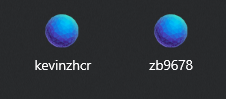
现在桌面上多了2个Firefox不同帐号的启动快捷方式
效果
firefox书签
chrome://browser/content/places/places.xhtml
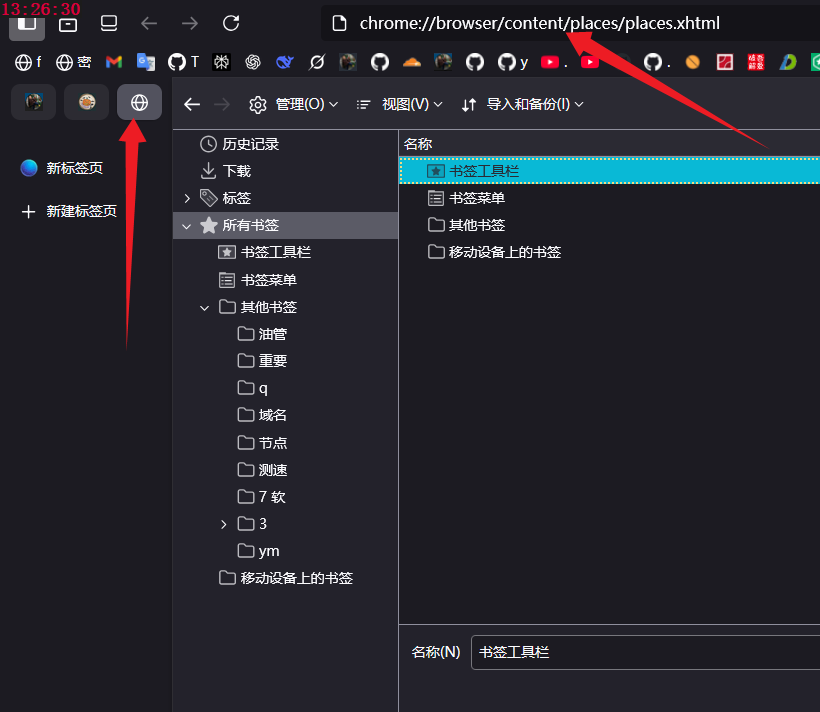
注意和 chrom 书签的区别
chrome书签
chrome://bookmarks/
转载请注明出处